At Fintech, we move billions of dollars each year through our platform. Our engineers support retail, hospitality, and alcohol distribution. In these industries, compliance is never optional and downtime costs money.
Tools like Cursor and Claude Code enable our developers to boost their productivity but these tools require constant attention and direction and may not be well versed in the nuances of how we work as a team.
So we built AIDO. It is an autonomous coding agent that works like any other developer on our team. AIDO can pick up tickets, write code, open pull requests (PRs), respond to review comments, and run UI tests, just like any developer!
The only difference is that it runs without breaks.
What it’s like to work with AIDO
AIDO lives inside Azure DevOps. It has access to the same tools and resources our engineers have: repositories, work items, pull requests, design files, internal documentation, and feature flags.
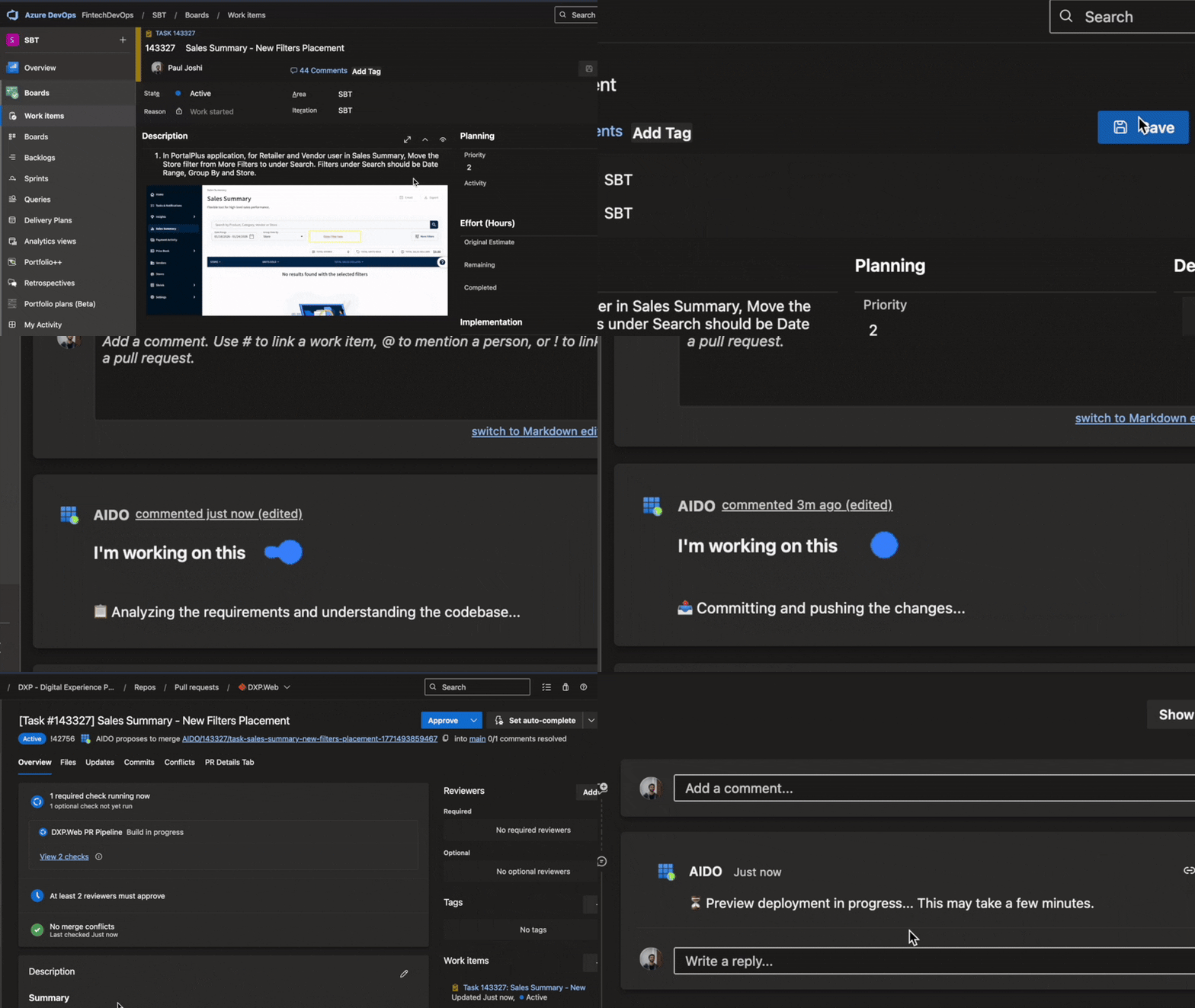
When someone assigns a ticket to AIDO, it starts right away. It clones the right repo, creates a branch, reads the requirements, writes the code, validates the changes, and opens a PR. No one needs to guide it step by step. An application preview is generated if necessary, where AIDO performs UI testing and generates a report.
Our developers can assign multiple tasks to AIDO in parallel and simply focus on the more important things while AIDO takes care of routine coding.
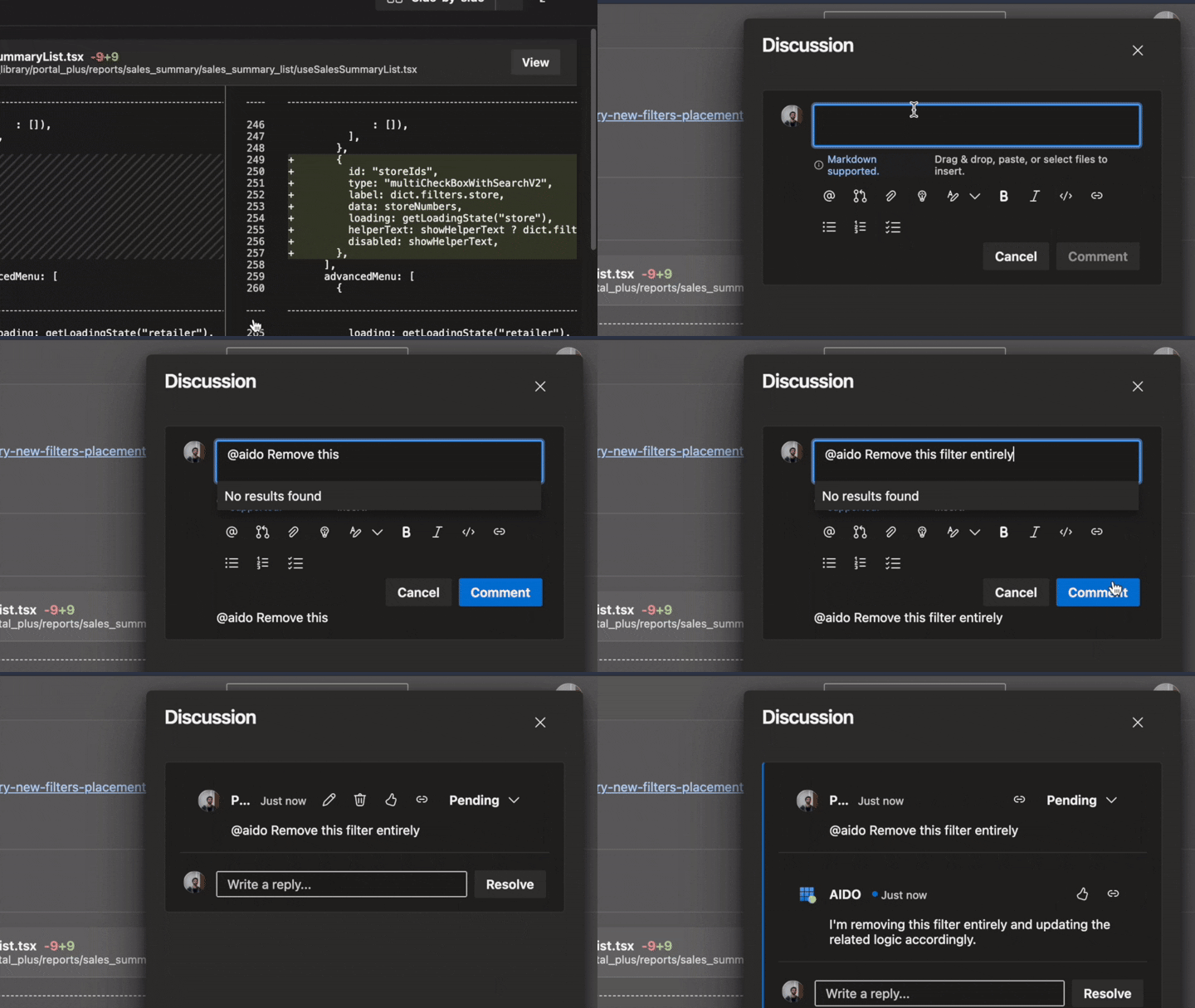
The PR may not always have exactly what you expect. So you can steer AIDO’s work by commenting on the PR for further changes. When someone leaves a review comment on its PR, AIDO reads the feedback, updates the code, and pushes new commits. Even when the code is not right enough to merge, it acts as a pretty good starting point for our developers to take over.
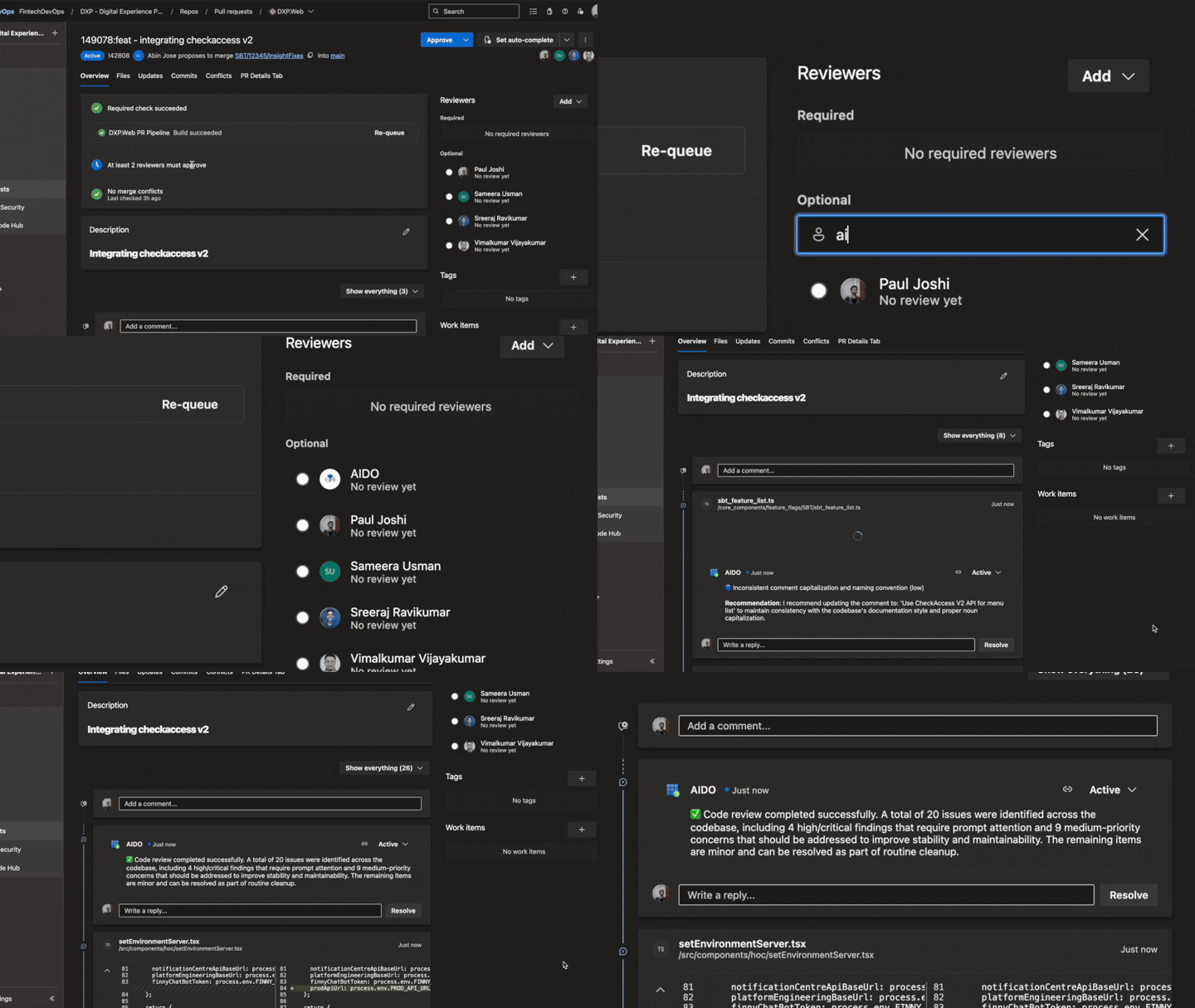
It works the other way too. Developers raise hundreds of PRs every month and we spend a lot of time peer reviewing code. So now we assign AIDO as a reviewer on our PRs so it can also review changes. Now unlike a conventional code review bot, AIDO can clone the repo in a virtual environment, go to the branch with the new changes, and check if the new code makes semantic sense. It can also spin up a temporary deployment and review the changes live in the application. Further, if AIDO reviews your PR and flags an issue, you can reply in the thread and ask it to fix it. It makes the change and updates your branch.
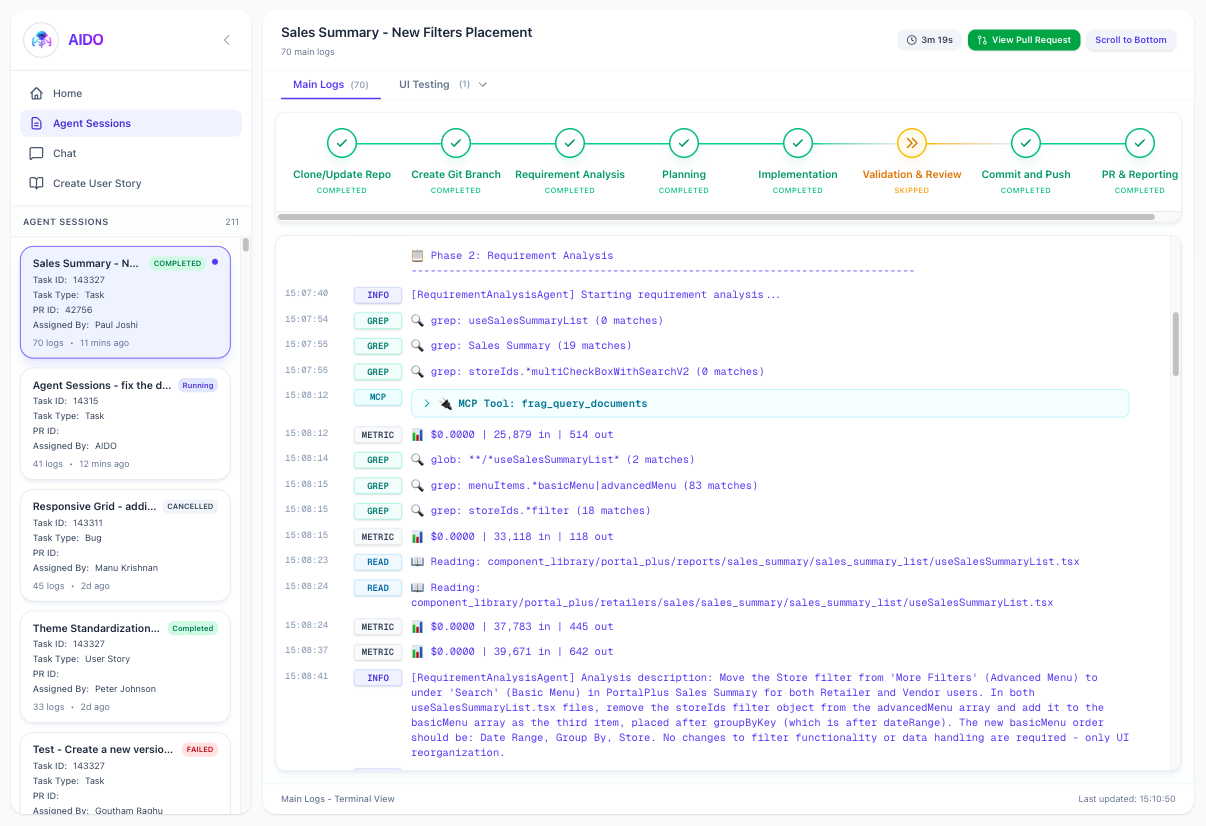
Monitoring AIDO
We've also built a simple UI so you can watch AIDO think. You'll see every MCP call it makes, when it's pulling design specs from Figma, querying our internal docs, or checking the component library. You can follow its reasoning, see what decisions it's making, track how long each step takes, and understand exactly what tasks it's juggling at any moment.
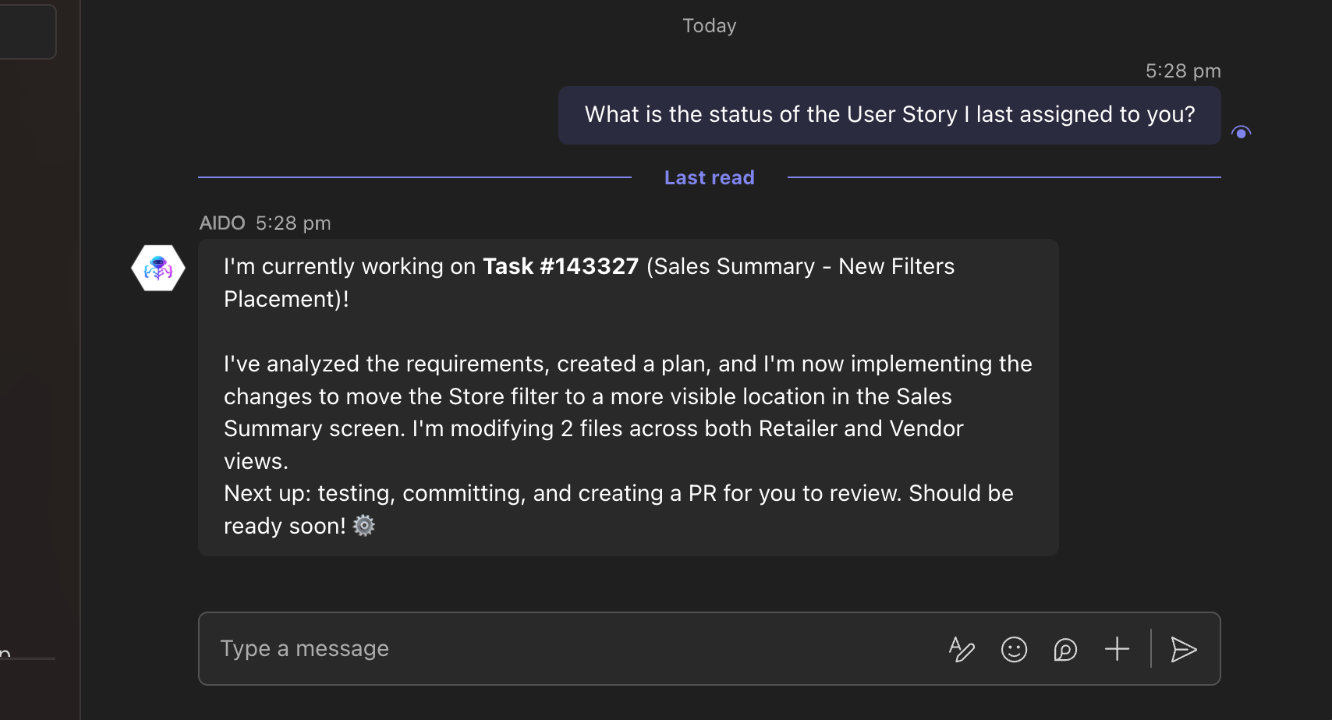
AIDO also runs as a Teams bot. It connects to its knowledge base through MCP. You can ask what it is working on, check status, or query internal documentation through Teams. It behaves like another developer in the channel.
How AIDO works
AIDO uses a multi-agent setup. Each agent handles a specific part of the workflow. When you assign a work item, the Orchestrator Agent manages the lifecycle: this involves cloning or updating repos, creating branches, analyzing requirements, planning, implementation, testing and validation, creating a PR and looping back wherever necessary.
The core agentic actions are performed on top of OpenCode an open-source coding agent. This gives us LSP and MCP support. The orchestrator ensures that AIDO follows internal conventions, documentation, and practices while still having the creative freedom of a coding agent. Each agent has a defined access. The Planning Agent may need Figma access for UI work. The Validation Agent runs tests but does not need documentation queries.
AIDO works inside our development setup. It has access to Azure DevOps work items, PRs, wikis, Figma prototypes, our internal documentation hub, browsers for testing, and most of our repositories.
Why we built AIDO
Generic coding agents work well for small projects. Our environment is different.
We operate in regulated industries. Our systems handle payments, compliance checks, and inventory flows for large retailers. Over the years, we have developed various tools and conventions that enable us to handle this complexity.
Our stack includes custom libraries and internal frameworks. We use specific patterns for audit trails and financial transactions. A general coding assistant does not understand these rules. Custom agents and skills work to solve this to some extent, but we needed something more tightly integrated.
So we built AIDO to work inside our infrastructure. It uses the same tools, follows the same review process, has access to the same knowledge bases, and runs through the same CI/CD pipelines as our engineers.
If a process works for humans, it works for AIDO. The custom skills that tools like Claude Code and Cursor use are still used by AIDO while it works.
What comes next
AIDO already handles hundreds of tickets and PR reviews each week.
We are expanding it to support complex changes across multiple repositories. We are improving its ability to reason about system-wide impact and we’re also working on clearer explanations so engineers can understand its decisions.
We want engineers to focus on system design, trade-offs, customer needs, and domain problems. AIDO handles routine tasks such as dependency updates, lint fixes, review comments, and well-defined UI changes.
AIDO removes repetitive work so the team can focus on what requires judgment and experience.
Feel free to reach out if you have any queries or if we should write another post about AIDO’s architecture in detail.